Microsoft 365 Outage Advisory: The Phishing Started Before the Service Came Back

On 12 November 2026 a Microsoft 365 failure centred on Exchange Online took Outlook, Teams and a long list of dependent services down across every region. Reuters and CNN reported the scale through the day, with Downdetector peaking near 140,000 Outlook reports globally. Microsoft tracked it as EX1550543 for Exchange Online and MO1550821 for the wider impact, and reported services fully restored on 14 November.
Microsoft’s explanation moved several times during the incident, from elevated load, to servers unexpectedly dropping out, to servers failing automated health checks, to a process that establishes secure connections becoming overwhelmed. It began reverting a network configuration change that it said correlates with the start, while stating plainly that it had no evidence of malicious activity. SecurityWeek’s coverage tracks that sequence. No final root cause had been published at the time of writing.
Most advisories written about this stopped at user awareness, meaning watch out for fake IT support. That advice is correct and it is not the interesting part. The interesting part is that Microsoft’s own list of affected services included the tools a security team would use to catch the attacks that follow an outage.
Your Detection Stack Was on the Affected List
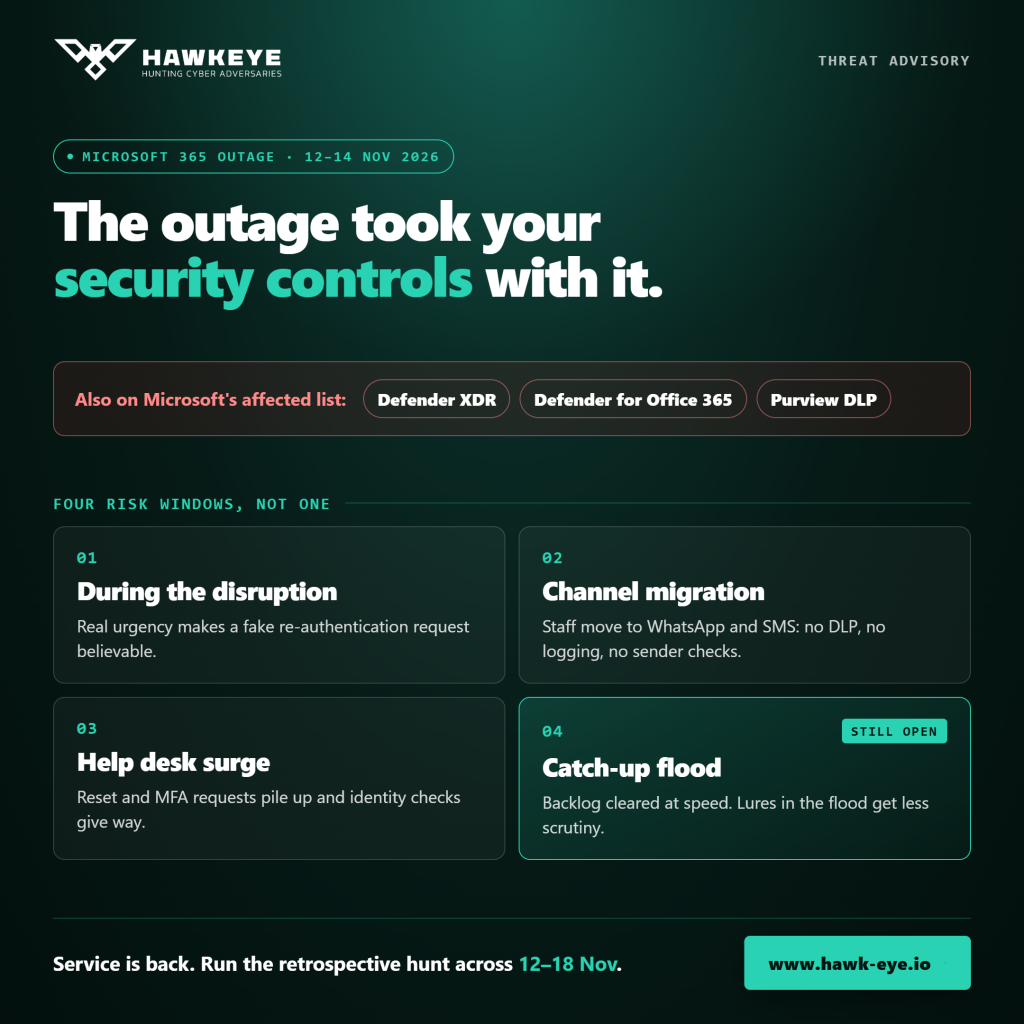
Alongside Teams, SharePoint and Copilot, the services Microsoft listed as impacted included Defender XDR, Defender for Office 365, and several Microsoft Purview components covering Data Loss Prevention, Communication Compliance, Data Classification and Auto Labelling.
Read that as a security event rather than an availability one and the picture changes.
- Mail security degraded as mail risk rose: Safe Links provides time-of-click protection against malicious URLs. If the service delivering that protection is degraded, the window where users are most likely to click an outage-themed lure is also the window where the check behind the link is least reliable.
- Detection and hunting were affected: Defender XDR is where an analyst would investigate the campaign. A degraded portal and delayed telemetry mean reduced visibility during the event, and it is worth assuming there is a gap in what was collected rather than what was simply not seen.
- Data controls were impacted: DLP and Communication Compliance sit in the Purview components Microsoft listed. Degraded DLP during a period of unusual user behaviour is a quiet risk, because the activity still happens and the control that would have recorded or blocked it may not.
The general lesson is worth stating because it outlives this incident. When the security control plane and the productivity platform share a dependency, an outage in that dependency is a control outage, and the mitigation is knowing in advance which controls are affected rather than discovering it mid-incident.
The Phishing Microsoft Confirmed
This was not a theoretical risk. Microsoft warned publicly that an active phishing campaign was exploiting the disruption, with messages impersonating Microsoft 365 service health notifications and referencing the outage incident. Microsoft’s own wording was careful, describing the activity as consistent with credential phishing while noting that credential collection and malware delivery had not been confirmed.
Separately, Field Effect reported a lure detected on 13 November that claimed four messages were held during the outage and would be deleted within 24 hours, copying the format of a Microsoft quarantine digest.
Indicators circulated by Microsoft Threat Intelligence, defanged and reproduced here for blocking and hunting.
subject pattern : “Outage – [six-character code]”
display names : <org prefix> + “Outage Notification” or “Service Health”
sender domains : moments-notice[.]com
planetmaison[.]com
newbooker[.]com
redirect target : reallifeaccounting[.]com path /themelist0.html
delivery : SendGrid click-tracking links, recipient-specific
observed lure : “Action required: (4) messages held after the outage”
Two verification facts are worth circulating to staff, because they are checkable rather than judgement calls. Microsoft posts outage updates on the Microsoft 365 admin center Service health page, not by email to end users. And a genuine quarantine digest comes from [email protected] with the subject “Microsoft 365 security: You have messages in quarantine”, which is a specific sender and subject a user can compare against.
Outage-themed activity was not limited to one campaign. In the Netherlands, pharmacist and healthcare bodies warned about emails offering account recovery and MFA setting changes, and reporting there describes a separate device code phishing campaign reaching Microsoft accounts and spreading from already hijacked accounts to their contacts.
Four Windows, Not One
Treating the risk as confined to the outage itself understates it. Four distinct windows carry different risks and different detection opportunities.
- During the disruption: urgency is genuine, users expect something to be broken, and a request to re-authenticate matches what they already believe is happening. This is where credential phishing and vishing land best.
- The channel migration: when Teams and Outlook are unavailable, staff move to personal email, WhatsApp and SMS. Those channels carry no DLP, no Safe Links, no logging and no sender verification, and they are exactly where a fake IT support contact arrives. The migration itself is the exposure.
- The help desk surge: password reset and MFA re-enrolment requests spike, queues grow, and identity verification standards come under pressure from the volume. Social engineering of a help desk is substantially easier on a day when the help desk is overwhelmed and nobody can reach the usual verification systems.
- The catch-up flood: when service returns, queued mail arrives in bulk and users clear a backlog at speed with reduced scrutiny. A lure that sits in that flood receives less attention than one arriving on a normal Tuesday. This window is still open for most organisations reading this.
What to Hunt Now That Telemetry Has Caught Up
Microsoft pointed defenders at Defender for Office 365 Threat Explorer and Defender XDR advanced hunting, naming the EmailEvents, EmailUrlInfo and UrlClickEvents tables. Because collection itself was degraded during the incident, the right approach is a retrospective hunt over the whole window rather than reliance on alerts that fired at the time.
- Search inbound mail across the outage window: from 12 November through the days following restoration, for the subject pattern, the sender domains and display names containing Outage Notification or Service Health.
EmailEvents
| where Timestamp between (datetime(2026-11-12) .. datetime(2026-11-18))
| where SenderMailFromDomain in~ (“moments-notice.com”,”planetmaison.com”,”newbooker.com”)
or SenderDisplayName has_any (“Outage Notification”,”Service Health”)
or Subject matches regex @”(?i)^outage\s*-\s*[A-Za-z0-9]{6}$”
| project Timestamp, SenderFromAddress, SenderDisplayName, Subject,
RecipientEmailAddress, DeliveryAction, NetworkMessageId
- Pivot from delivered mail to clicks: delivery is not compromise, and a click is the event that matters. Join through the URL tables to find which recipients interacted.
let bad = EmailUrlInfo
| where Url has_any (“reallifeaccounting”,”themelist0.html”);
UrlClickEvents
| where Timestamp between (datetime(2026-11-12) .. datetime(2026-11-18))
| where Url has_any (“reallifeaccounting”,”themelist0.html”)
| project Timestamp, AccountUpn, Url, ActionType, IsClickedThrough
- Treat a click as a credential event: for any user who clicked through, review sign-ins for that account over the following days, looking for authentication from an unfamiliar source, a new MFA method registered, a mailbox forwarding rule created, or an OAuth grant to an unfamiliar application. Those are the artefacts that turn a phishing click into a persistent compromise.
- Re-run the identity detections over the gap: any detection that depends on Defender or Purview telemetry should be re-evaluated across the outage window once backfill is complete, on the assumption that what did not alert may simply not have been processed.
- Review help desk actions during the surge: list every password reset and MFA re-enrolment performed between 12 and 14 November and confirm each against the requesting user through a channel that does not depend on Microsoft 365.
Mapped to ATT&CK, the chain runs from Phishing through Valid Accounts, and where device code phishing is involved, through to persistence via added authentication methods and mail forwarding rules. The individual events are ordinary. The sequence on one identity inside the outage window is the finding, which is the same structural argument we make in our advisory on destructive-attack staging.
What Belongs in the Runbook Before the Next One
This incident will recur in some form, with a different provider or a different service. Five items separate the organisations that handled it well from those improvising.
- A pre-approved out-of-band channel: named, tested and known to staff in advance, so the channel migration is to somewhere you control rather than to personal WhatsApp. Communicate the choice before the outage, because announcing it during one is itself a phishing opportunity.
- Identity verification that does not depend on the platform that is down: a help desk verification procedure requiring a system that is unavailable will be bypassed under pressure. Decide in advance what the fallback is and who can authorise it.
- A known list of security controls with a shared dependency: work out now which of your detection, mail security and DLP controls degrade when a given provider degrades. That list is the thing you want on the first call, not on the third day.
- A standing user message for outages: short, pre-written, and stating that the organisation will never ask for credentials or MFA codes to restore service, with the verification facts included. Sending it early beats sending it after the first click.
- A retrospective hunt as a standard closing step: treat every significant outage as a period of reduced visibility that requires a backward-looking review once telemetry recovers, rather than as an availability event that ends when the service returns.
The Record a Regulator Will Want
For an institution under SAMA’s Cyber Security Framework or the UAE’s Information Assurance Regulation, a third-party outage that degraded security controls is a control operation question, not only an availability one. The useful record is short.
- Which controls were degraded and for how long: named, with the provider’s incident identifiers attached.
- What compensating action was taken: the user communication, the blocking of indicators, the heightened help desk verification, and who approved each.
- What the retrospective hunt covered and found: the window searched, the queries run, and the dispositions reached, which is stronger evidence than an assertion that nothing happened while visibility was reduced.
- What changed afterwards: the runbook items above, with owners and dates.
Frequently Asked Questions about the Microsoft 365 Outage and Outage-Themed Phishing
Was the Microsoft 365 outage a cyberattack?
Microsoft stated during the incident that it had no evidence of malicious activity, and its public updates described infrastructure failures involving servers failing automated health checks and an overwhelmed secure-connection process. It had not published a final root cause at the time of writing. The attacks associated with the event were opportunistic phishing using the outage as a pretext, not the cause of it.
How do I tell a real Microsoft outage notification from a phishing email?
Microsoft publishes outage updates on the Microsoft 365 admin center Service health page rather than emailing end users about them. A genuine quarantine digest comes from [email protected] with the subject “Microsoft 365 security: You have messages in quarantine”. Any message asking for credentials, MFA codes or remote access to restore service should be treated as hostile.
Why does an outage increase security risk beyond the phishing itself?
Because the security controls can share the dependency that failed. In this incident Microsoft listed Defender XDR, Defender for Office 365 and Purview components including DLP among the affected services, so mail protection, detection and data controls were degraded during the period when users were most likely to click an urgent-looking message.
The service is back. Is there anything still to do?
Yes. Run a retrospective hunt across the outage window now that telemetry has backfilled, because detections that depend on degraded services may not have processed events at the time. Review any help desk password resets and MFA re-enrolments performed during the surge, and expect the catch-up flood of queued mail to carry lures that receive less scrutiny than usual.
What should we tell staff during the next outage?
Use a short pre-written message stating that the organisation will never ask for credentials or MFA codes to restore service, naming the one out-of-band channel the company will use, and telling people to verify service status through the admin center rather than through links in email. Having it written in advance matters, because announcing a new communication channel mid-incident is itself a phishing opportunity.